Setting delivery times by destination country
In Pepita Admin, under “Logistics” in the “Supply Chain Settings” menu, our Marketplace partners are required to specify different delivery parameters for each destination country so that we can display accurate delivery times to our customers.
When you access the menu, a map is displayed at the top of the page. Light red indicates countries where international trading is available but you have not yet started selling. Yellow indicates countries where your products are present but shipping parameters have not yet been configured. Once the settings are completed, these countries will change from yellow to bright red.
To configure the shipping parameters, please follow the steps below.
Table of contents
Set your central warehouse!
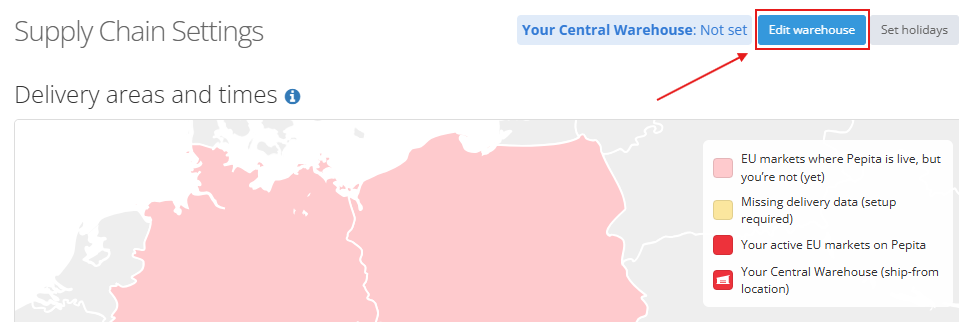
In the top right corner above the map, click the “Edit warehouse” button and select your central warehouse from the dropdown menu – this is the warehouse where you will carry out the required configurations.
New warehouses can still be added under the “Warehouses” menu; this section only allows selection from warehouses already created.
Important! Shipping parameters can only be configured for a single warehouse – the one designated as your central warehouse. It is not currently possible to define different shipping conditions by country or region.
Check holidays!
The “Set holidays” button allows you to record non-working days (e.g. holidays, stocktaking, or leave) on a country-by-country basis. Official public holidays are included in the calendar automatically; all other closures must be added manually. Setting non-working days is not mandatory at this stage, it can be added later at any time.

The general working schedule of the central warehouse should not be configured here but in accordance with section 3.2 Warehouse handling time.
Record shipping parameters by country!
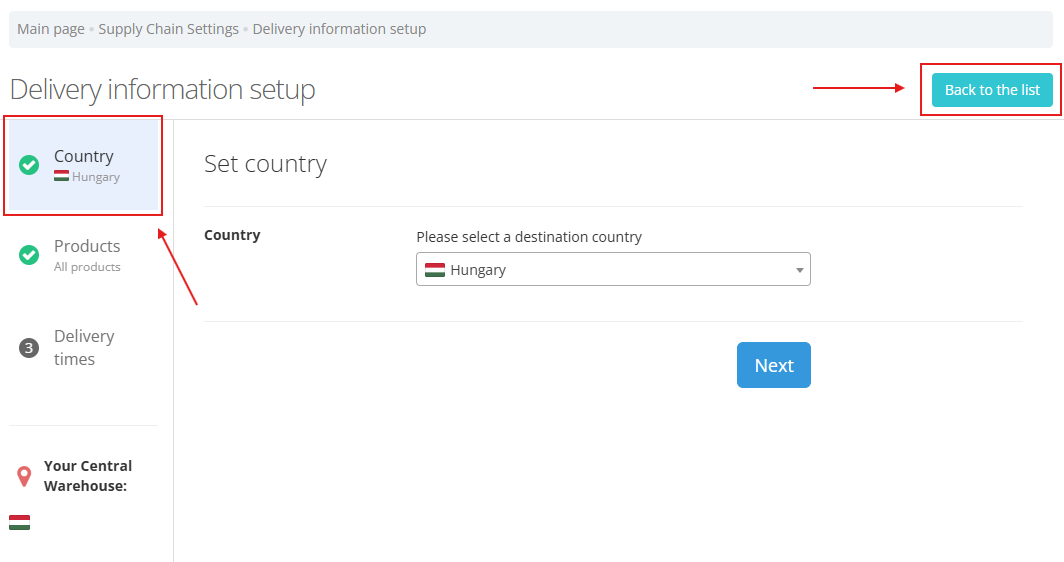
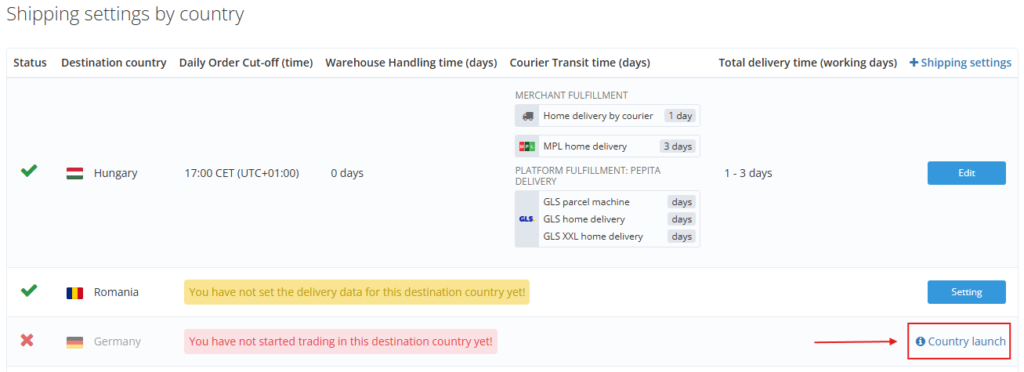
Select the destination country you wish to configure first. You can do this by clicking the country on the map or by selecting the “Setting” button in the “+ Shipping settings” column of the table below the map.

On the “Delivery information setup” page, you can define the daily order cut-off time, warehouse handling time, and courier transit times.
The Products section does not allow exceptions to be added, further information can be found in section 5. Setting individual warehouse handling time.
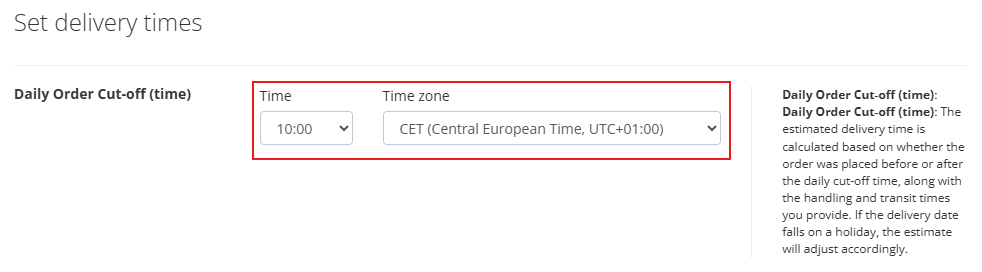
Daily order cut-off (time)
Enter the time (and select the appropriate time zone) until which orders received will be processed as part of the current working day’s handling time. Orders placed after this time will be processed starting from the next working day.
The estimated delivery time shown to customers is calculated based on whether the order was placed before or after the cut-off time.
The aggregated delivery promise (see section 3.4) combines the daily order cut-off, warehouse handling time, and courier transit times
The estimated delivery time also takes into account orders placed on days when the warehouse is closed.
Warehouse handling time (days)
Here you can define how many days are required to prepare an order for handover to the courier service and specify the days on which the warehouse operates.
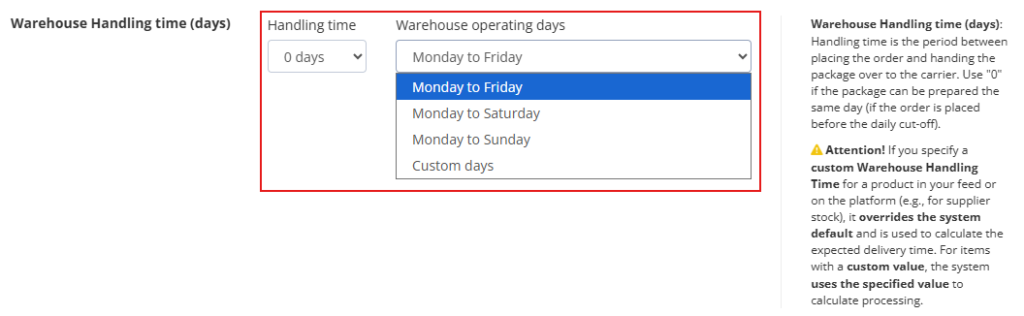
Setting 0 days means that the order will be prepared and handed over to the courier on the same day it is received, subject to the daily order cut-off time.
Further details on configuring individual warehouse handling times can be found HERE.
Courier transit time (days)
This section allows you to configure courier transit times (general and MPL), and define the days on which parcels are working.
Courier transit time refers to the number of days between parcel handover and delivery to the customer.
The “Home delivery by courier” section refers to your contracted general courier service. Only a single value can be entered. If you work with multiple courier companies (excluding MPL) and delivery times vary by product or category, you may wish to define individual warehouse handling times for those items.
Further details on individual handling time settings can be found HERE.
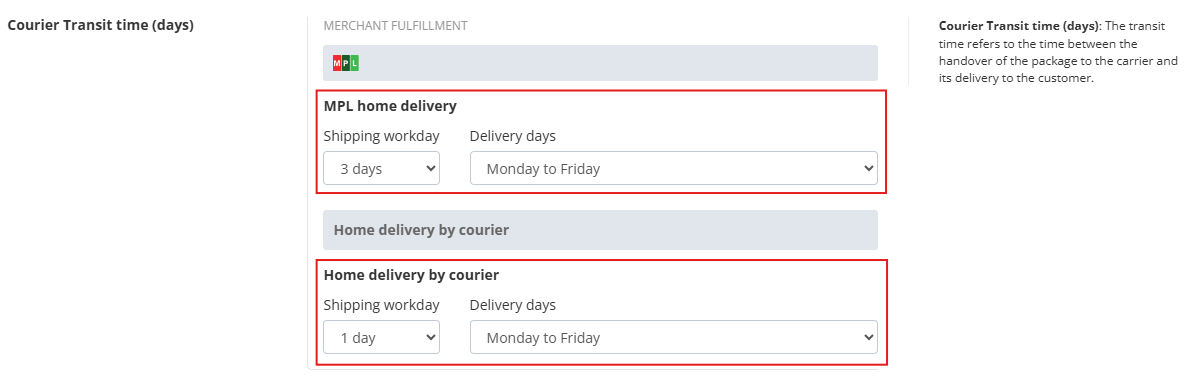
For partnerships within the Pepita Delivery Program (GLS), courier settings are determined by Pepita and cannot be modified by partners. However, the final delivery estimate communicated to customers also takes into account your daily order cut-off and warehouse handling time, meaning the aggregated delivery promise reflects warehouse operational efficiency.
Aggregated delivery promise
The estimated delivery interval is calculated by combining warehouse handling time and courier transit time, while also considering the daily order cut-off.
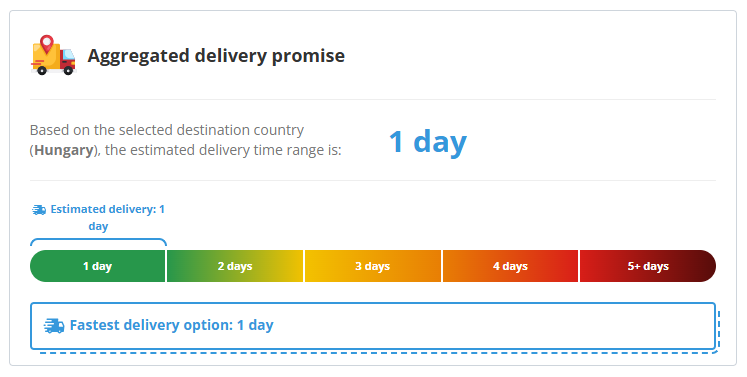
If warehouse handling time is 0 days and all courier services can deliver within one day, the estimated delivery interval will be 1 day.
If courier transit times differ, the delivery estimate will be presented as a range of days.
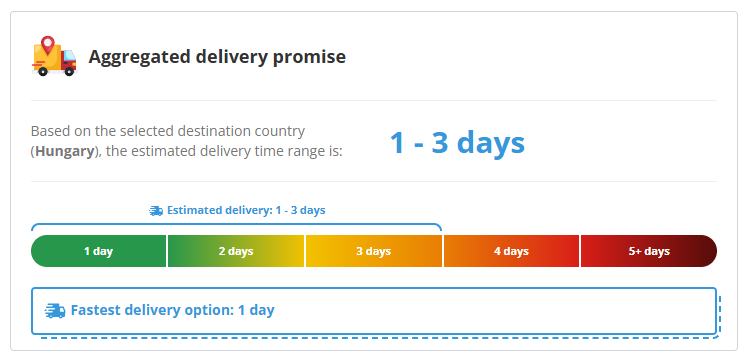
The product pages display the “Fastest delivery option”.
Important! Configuring shipping parameters enables more accurate delivery estimates to be shown to customers, reducing complaints, order cancellations, and uncollected parcels, while improving satisfaction and the overall customer experience.
Once you have saved the data, select another country and repeat the configuration process.
Review aggregated delivery data!
After completing configurations for all countries in which you actively sell, you can use the map to review aggregated delivery information. The map highlights the fastest delivery option for both your own courier services and the Pepita Delivery system.
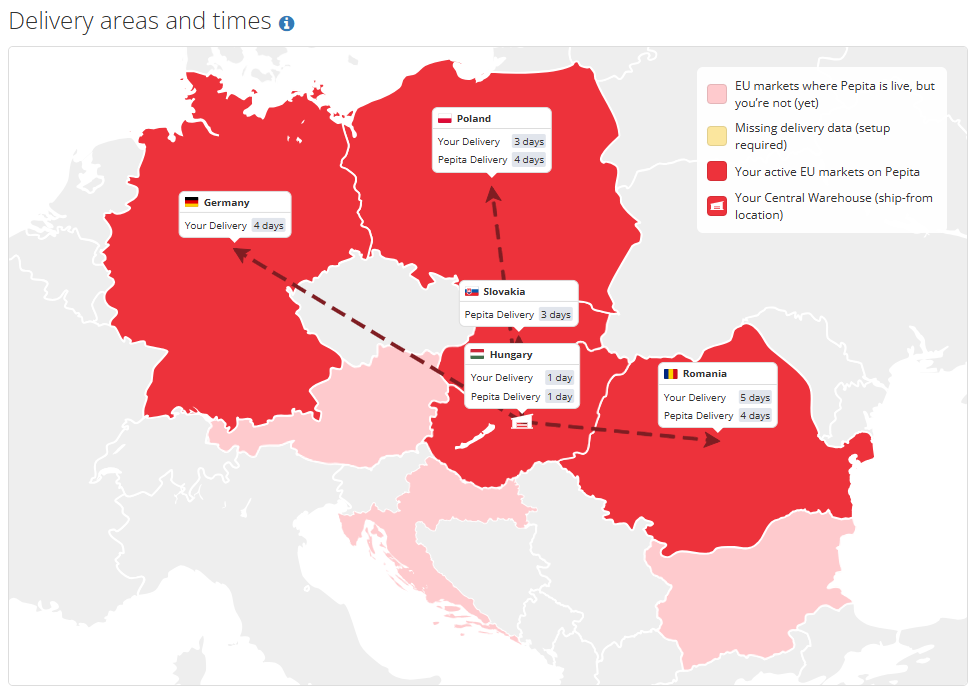
Below the map, the table provides detailed information for verification.
TIP!
If there is a Pepita country where you do not yet sell, click the “Country launch” button at the end of the row, enter your currency account and shipping costs, then configure delivery parameters and promote your products to a new customer base.
Setting individual warehouse handling time
If certain products require a different warehouse handling time (e.g. external stock), you can define exceptions as follows:
For manual product uploads
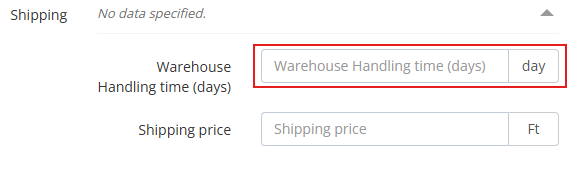
In the “Products” menu, locate the relevant product(s), click “Editing”, and scroll to the “Shipping” section. Expand the dropdown and enter the individual value in the “Warehouse handling time (days)” field.
Note: Where individual shipping times have previously been recorded for specific products, these values will henceforth be regarded as warehouse handling times. If necessary, please adjust the number of days on the product data pages in accordance with the instructions above.
For automated data integration
When using feed/API integration, individual handling times can be provided in the “Shipping Delay” field. Any value submitted in this field will be treated as warehouse handling time and added to courier transit times when calculating total delivery estimates, while also taking the daily order cut-off into account.
Important!
- In the case of warehouse handling time,individual settings always override centrally defined values!
- If values are transferred in the Feed/API in the “Shipping Delay” field, they are considered individual values.
- Product-level variations are only possible for warehouse handling time. Daily order cut-off and courier transit times are global parameters that apply to all products.
- If multiple courier services are used (excluding MPL) and delivery times vary by product or category, individual handling times should be defined for those items.
Tasks for automatic (Feed/API) data connection
All values transmitted via the “Shipping Delay” field in automated integrations are treated as “warehouse handling times” and added to courier transit times. The system also considers the daily order cut-off when generating delivery estimates.
Values provided in the “Shipping Delay” field are treated as individual parameters and override centrally configured settings.
Even when using feed/API integration, the shipping parameter configurations described in this document must still be completed!
If you have any further questions do not hesitate to contact us!
[email protected]
Pepita Group Team